So, everyone I know uses AVR chips. I use PIC. I don’t understand why people use AVR at all…
But I figured I should dig into it a bit and see if I could throw together the compiler tool chain at least once in my life… just to see how hard it is.
So far, it’s not bad, but it’s harder than using Microchips MPLAB X and a PICKit 3….
Whatever. Here’s what I’ve had to do so far:
% avrdude -p m8 -c avrispmkII -P usb
avrdude was compiled without usb support.
Well, that gave me an error about avrdude not being compiled with usb support. What? Fine.
% brew unlink avrdude
% brew install avrdude --with-usb
Apparently, avrdude gets shoved into the system by the Arduino IDE. Or maybe I tried this once before when I was fixing some broken project. Either way, I had to unlink it before reinstalling it. Now I can try to connect to the programmer again…
% avrdude -p m8 -c avrispmkII -P usb
[...]
avrdude: Device signature = 0xffffff
avrdude: Yikes!  Invalid device signature.
         Double check connections and try again, or use -F to override
         this check.
Cool. At least it’s trying to hit the chip. Too bad it still gets back an invalid device signature after the chip is hooked up. Maybe I’ll come back to this a bit later.
For now, we need the avr-gcc toolchain. Easy installer? Not really. Homebrew formula? Kinda. It looks a bit out of date… but how much could it have really changed? It’s over at https://github.com/larsimmisch/homebrew-avr:
brew tap larsimmisch/avr
brew install avr-libc
Annnd it takes forever to compile. And eating my disk with a bunch of source tree.
Cool. I could be programming by now with a PIC… but there’s a first time for everything so let’s see how far I can get. All I want is a led to blink.
Well, avr-gcc finally finished compiling through Homebrew. So now I can try compiling this simple blink.c file:
#define F_CPU 1000000UL

#include
#include

int
main (void)
{
    DDRB |= _BV(DDB0);

    while(1)
    {
        PORTB ^= _BV(PB0);
        _delay_ms(500);
    }
}
These are the lines needed to compile the code:
avr-gcc -mmcu=atmega8 -Wall -Os -o blink.elf blink.c
avr-objcopy -j .text -j .data -O ihex blink.elf blink.hex
And then we can try sending it to the chip…
avrdude -c avrispmkII -P usb -v -p atmega8 -U flash:w:blink.hexbut since the programmer is being a little bitch, we’re outta luck until I ask for help from someone who’s already dicked with this.
And I did try setting the fuses… and that still didn’t help:
avrdude -c avrispmkII -P usb -v -p atmega8 -U lfuse:w:0xc4:m -U hfuse:w:0xd9:mAll in all? Fuck AVR’s. The chips suck and getting the toolchain is a bit too much of a headache. Hell, it’s still not even working yet.
Sure, they’re cheap, sure they’re everywhere… but I’ve run up against their limits too many times in the past to worry too much about needing to use them. I’ll keep working on getting the tool chain to work so I can say I have…
But I think I’ll stick with Microchip for a while… Maybe I’ll try the MSP430’s next…
EDIT:
Well, I figured I’d continue hacking away at this because I’ve already gotten this far… and because I blew up someone else’s AVR Dragon in the process.
First, I was trying to burn the firmware using the AVRISP mkII (a USB ISP programmer). As I described above, it didn’t work. I guess it needs a firmware update but since I also had an AVR Dragon (a USB AVR Debugging tool and programmer) on the desk, I figured I’d plug THAT in and see if it was able to burn the firmware.
And it promptly popped a chip because of an over-current.
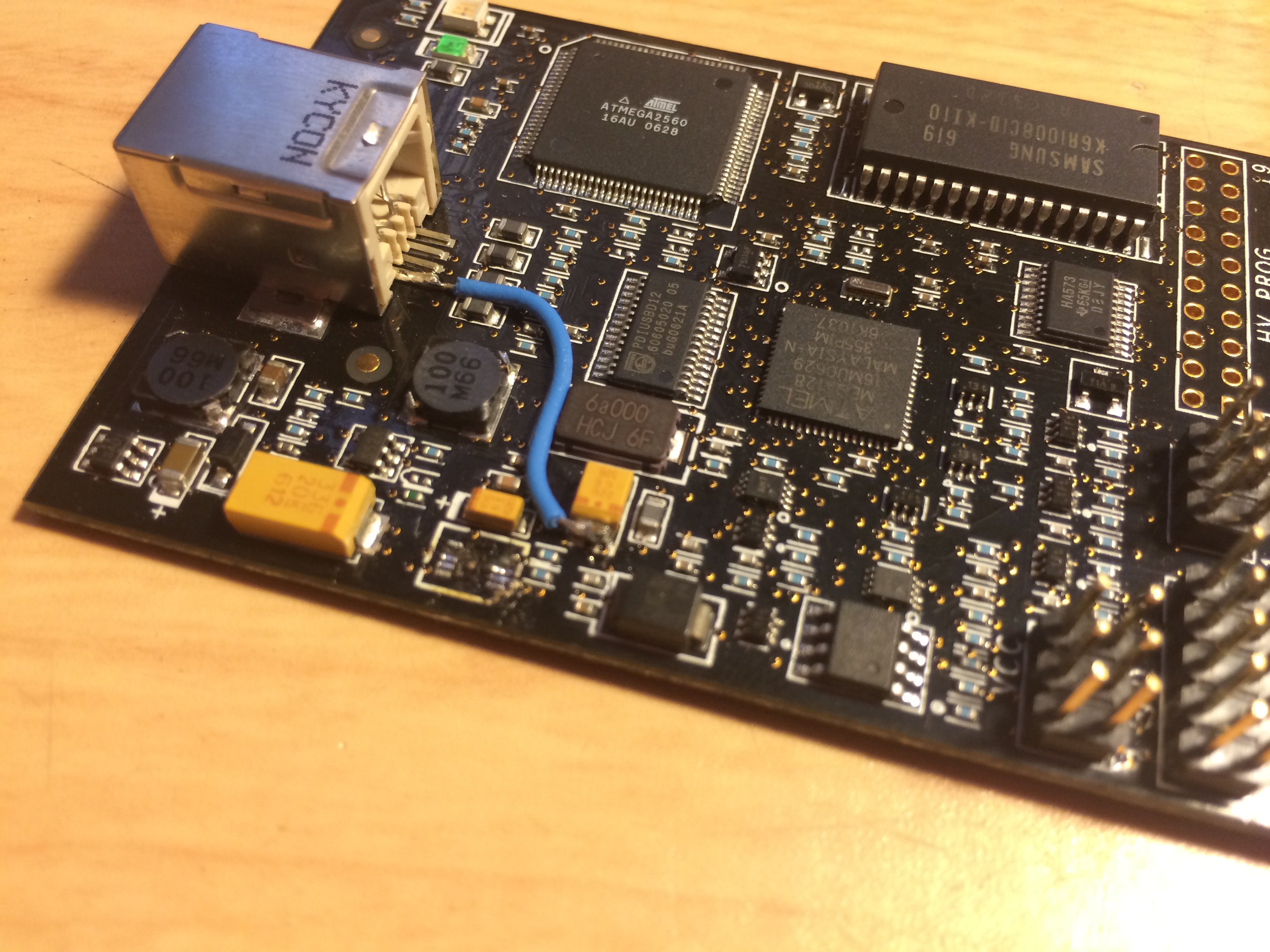
What A debugging tool, sold by Atmel specifically for debugging their AVR line, blew up when I did nothing more then plug it in to a working USB port on my computer. After some digging, I realized that these things pop all the damn time (good show, Atmel :facepalm:) and that someone figured out you could yank the blown chip off, solder on a single greenwire, and be back in business. http://www.8051projects.net/t45042/avr-discussion-forum/repairing-dead-avr-dragon-board-bugg-fixing-tips.htm
So, I did that… and while I’m going to try programming with that thing I’m also going to try to update the firmware on the AVRISP mkII - once I figure out how to get a copy of the ONLY tool that will update the damn firmware: AVR Studio. Which runs under windows. Only. Which requires you to register with them to download it.
Annnnd after downloading, the installer crashes on my XP VirutalBox VM. I don’t understand.
:sigh: Back to the Dragon, again. Let’s just try to connect to the Dragon first:
avrdude -c dragon_isp -P usb -v -p atmega8Cool! That worked! Let’s hook up the chip. Oh look, the board has no markings. Guess I’ll find the documentation before I continue. Actually, a google image search is faster. Red stripe goes there? Okay. Let’s try it again with some fuses:
avrdude -c dragon_isp -P usb -v -p atmega8 -U lfuse:w:0xe4:m -U hfuse:w:0xd9:mAnd, still, no. The list of possible solutions mentions a shorter usb cable (the fuck?), a powered usb hub (really??), and a firmware update that needs AVR Studio (just like the AVRISP mkII).
Sorry Atmel, I’m out.
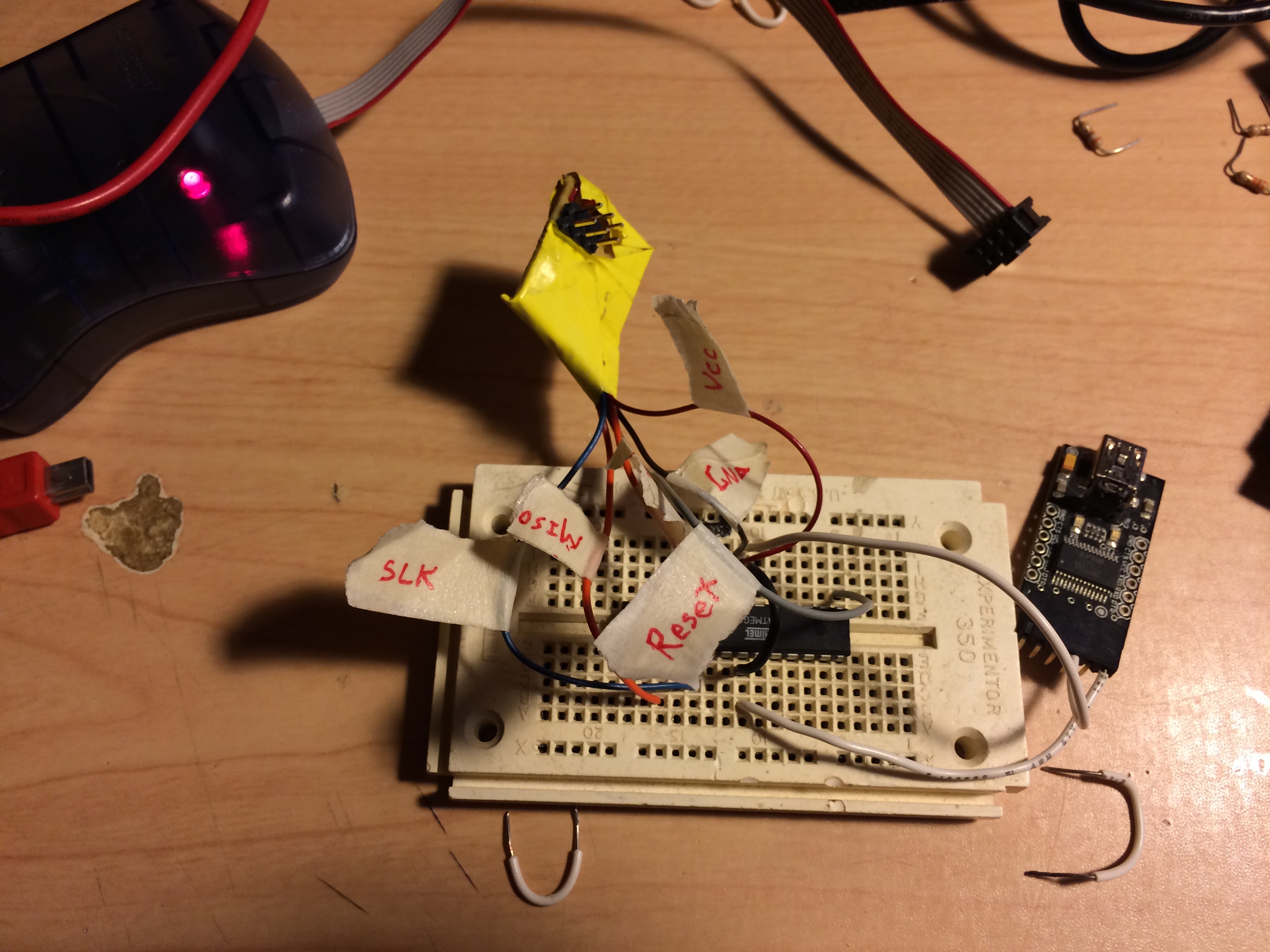
The AVRISP MKII hooked up… but not working…:
The greenwire fix for the Dragon: